An Excel Spreadsheet for Invoice typically includes structured columns for item descriptions, quantities, unit prices, and total amounts. It often features designated areas for billing information, invoice number, date, and payment terms to ensure clarity and professionalism. Customizable formulas within the spreadsheet automatically calculate subtotals, taxes, and final totals, enhancing accuracy and efficiency.
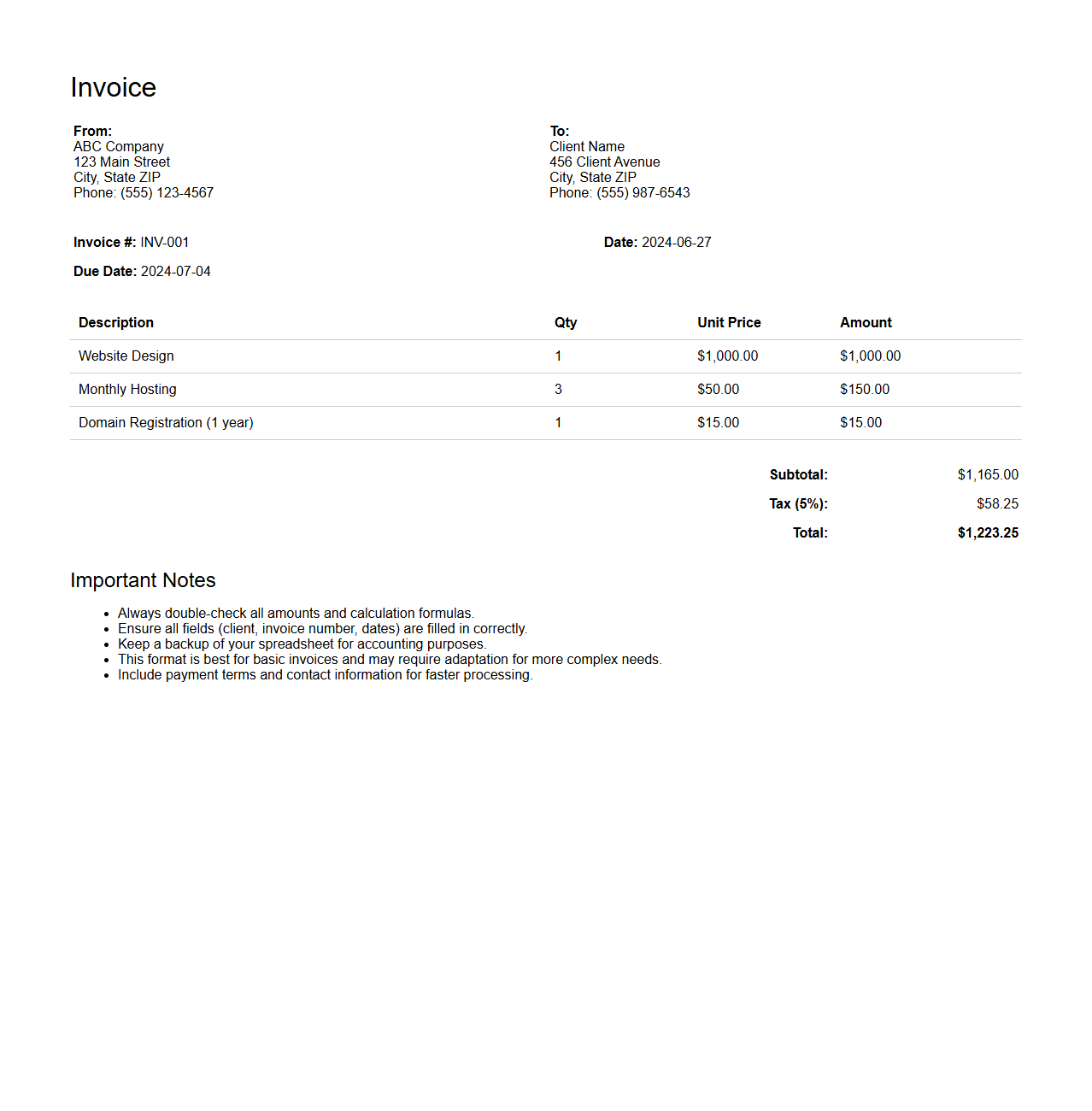
Basic Excel Invoice Spreadsheet Format
A
Basic Excel Invoice Spreadsheet Format document is a structured template designed for creating clear and professional invoices using Microsoft Excel. It typically includes fields for item descriptions, quantities, prices, tax calculations, and total amounts, making it easy to track sales and payments. This format enhances accuracy and efficiency in billing processes for small businesses and freelancers.
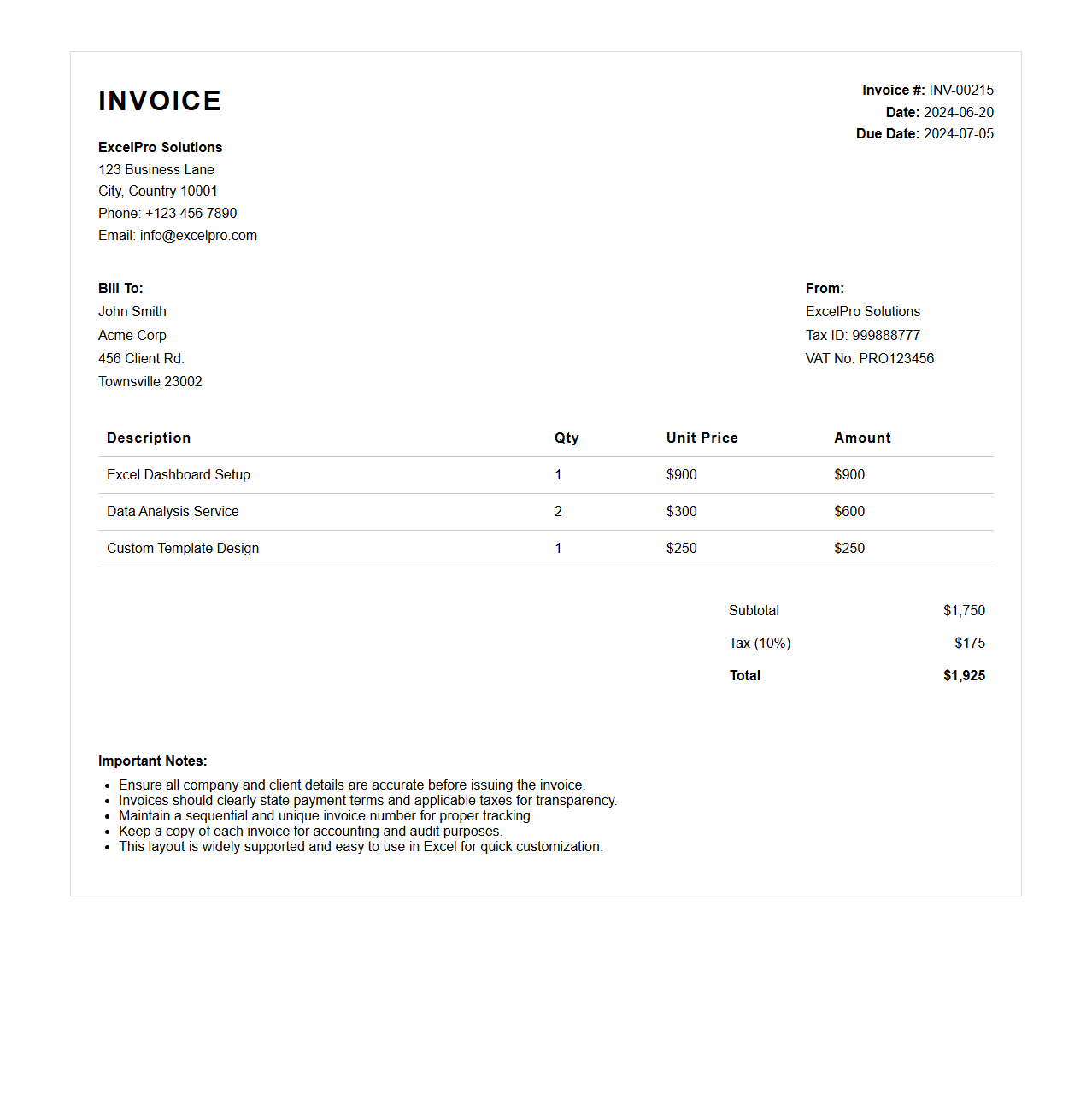
Professional Excel Invoice Template Format
A
Professional Excel Invoice Template Format document is a customizable spreadsheet designed to streamline the billing process by organizing client details, itemized services or products, prices, and payment terms efficiently. It enhances accuracy and consistency in invoicing through built-in formulas that automatically calculate totals, taxes, and discounts. This format improves professionalism and saves time for businesses by providing a clear, standardized layout compatible with Excel software.
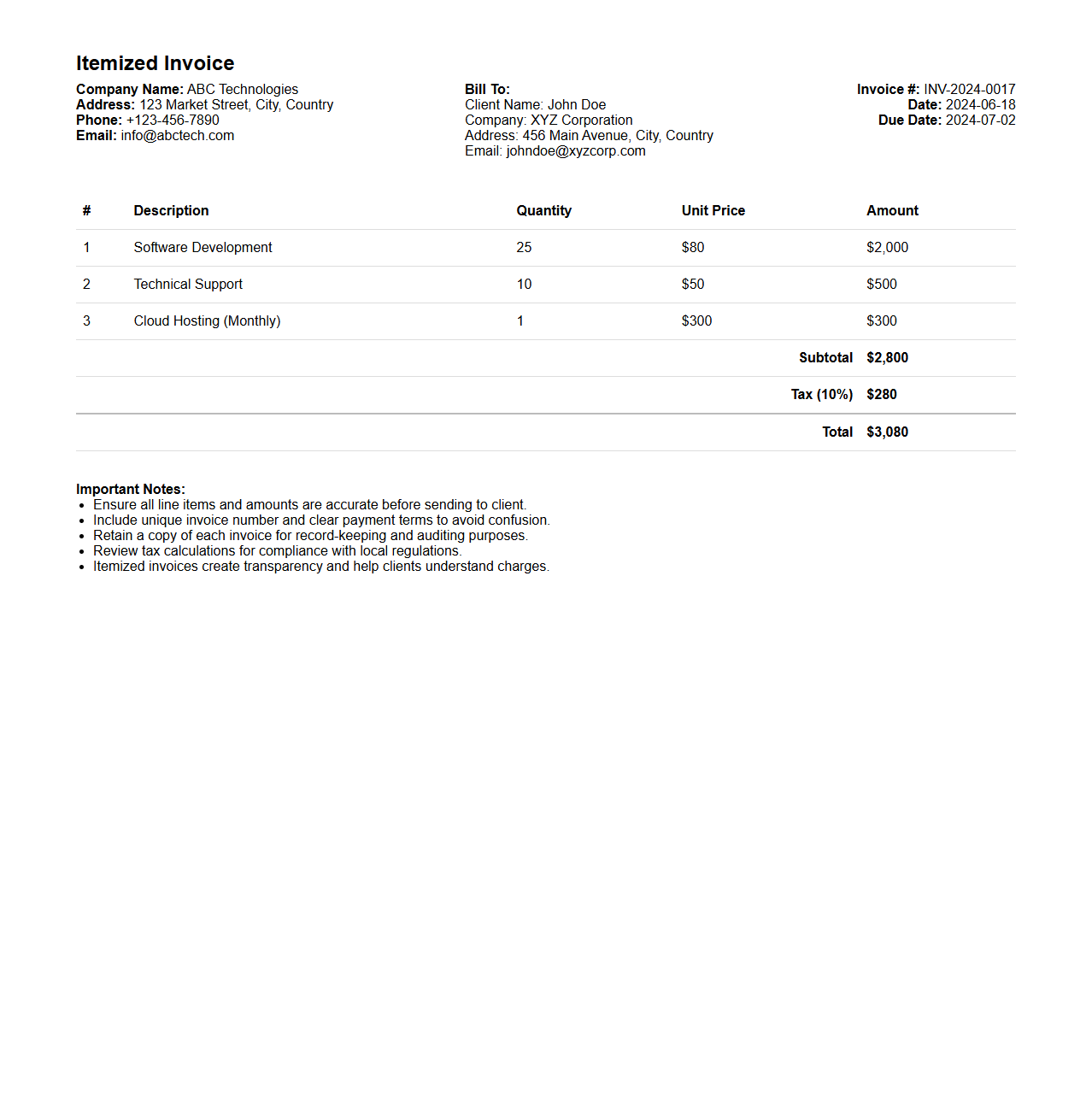
Itemized Invoice Excel Format
An
Itemized Invoice Excel Format document is a structured spreadsheet template designed to detail individual products or services along with their quantities, unit prices, and total costs. It enables businesses to systematically present billing information, track transactions, and ensure accurate financial records. This format improves clarity and transparency in invoicing processes, facilitating efficient client communication and payment reconciliation.
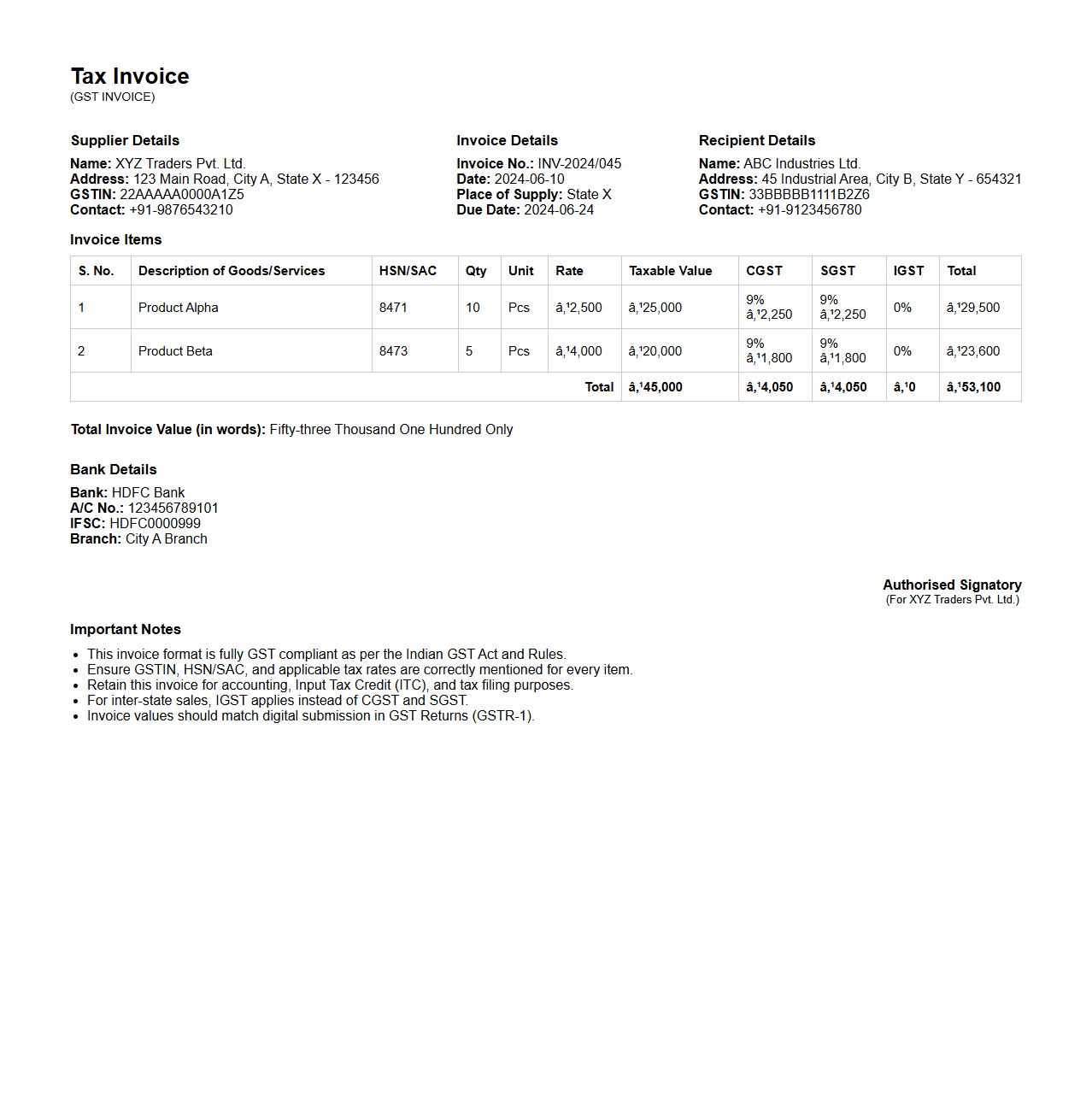
GST-compliant Excel Invoice Format
A
GST-compliant Excel Invoice Format document is designed to meet the Goods and Services Tax regulations by accurately capturing essential tax details such as GSTIN, HSN/SAC codes, invoice number, and tax breakdowns. It ensures proper calculation of CGST, SGST, and IGST to maintain transparency and compliance in financial transactions. This format streamlines tax reporting and facilitates easy filing of GST returns for businesses.
Service Invoice Excel Sheet Format
A
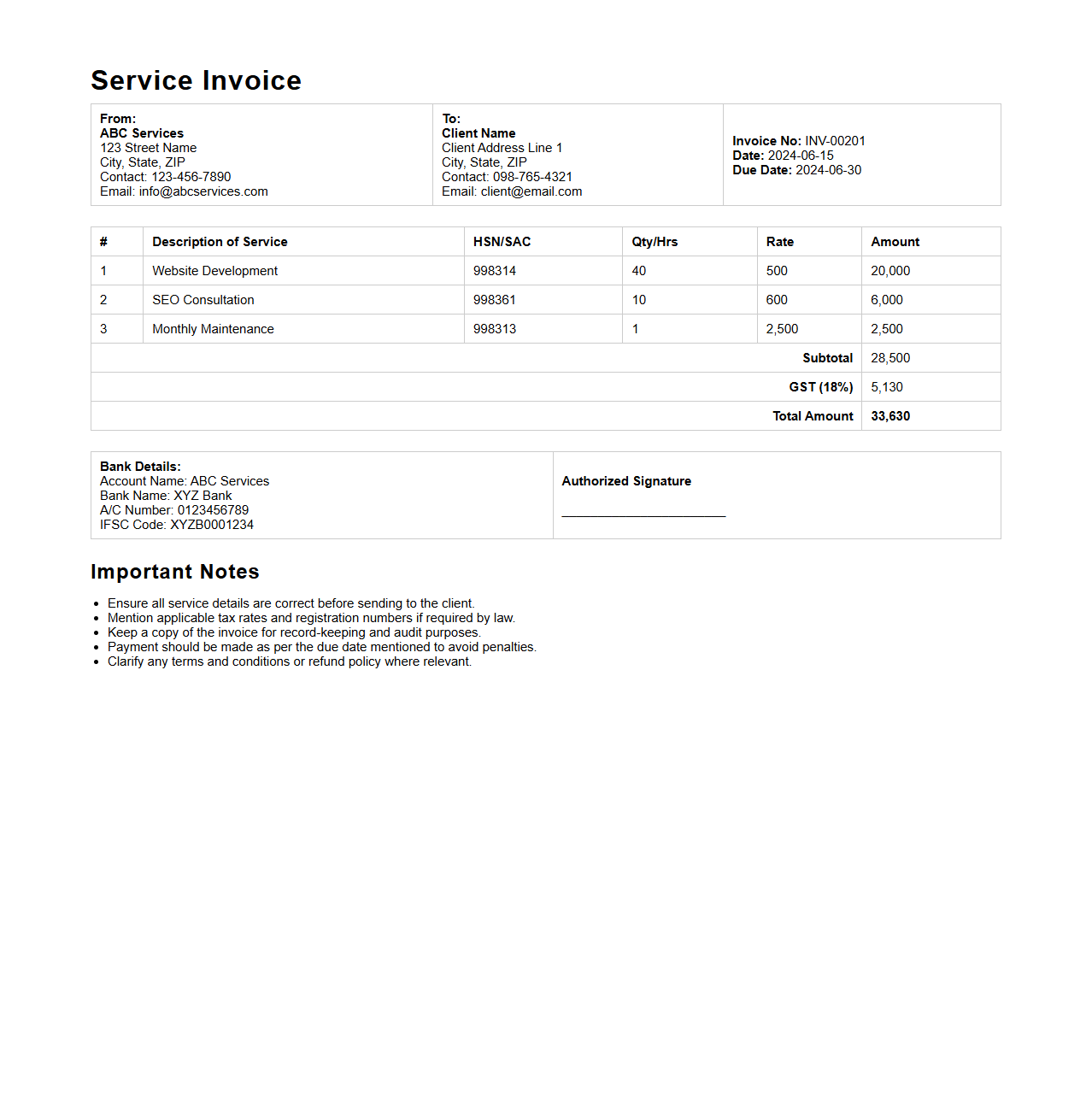
Service Invoice Excel Sheet Format document is a structured template designed to record and manage billing information for services provided. It typically includes fields for client details, service descriptions, quantities, rates, and total amounts, enabling accurate and professional invoicing. This format helps streamline payment processes, ensures clear communication with clients, and supports financial record-keeping.
Simple Sales Invoice Excel Format
A
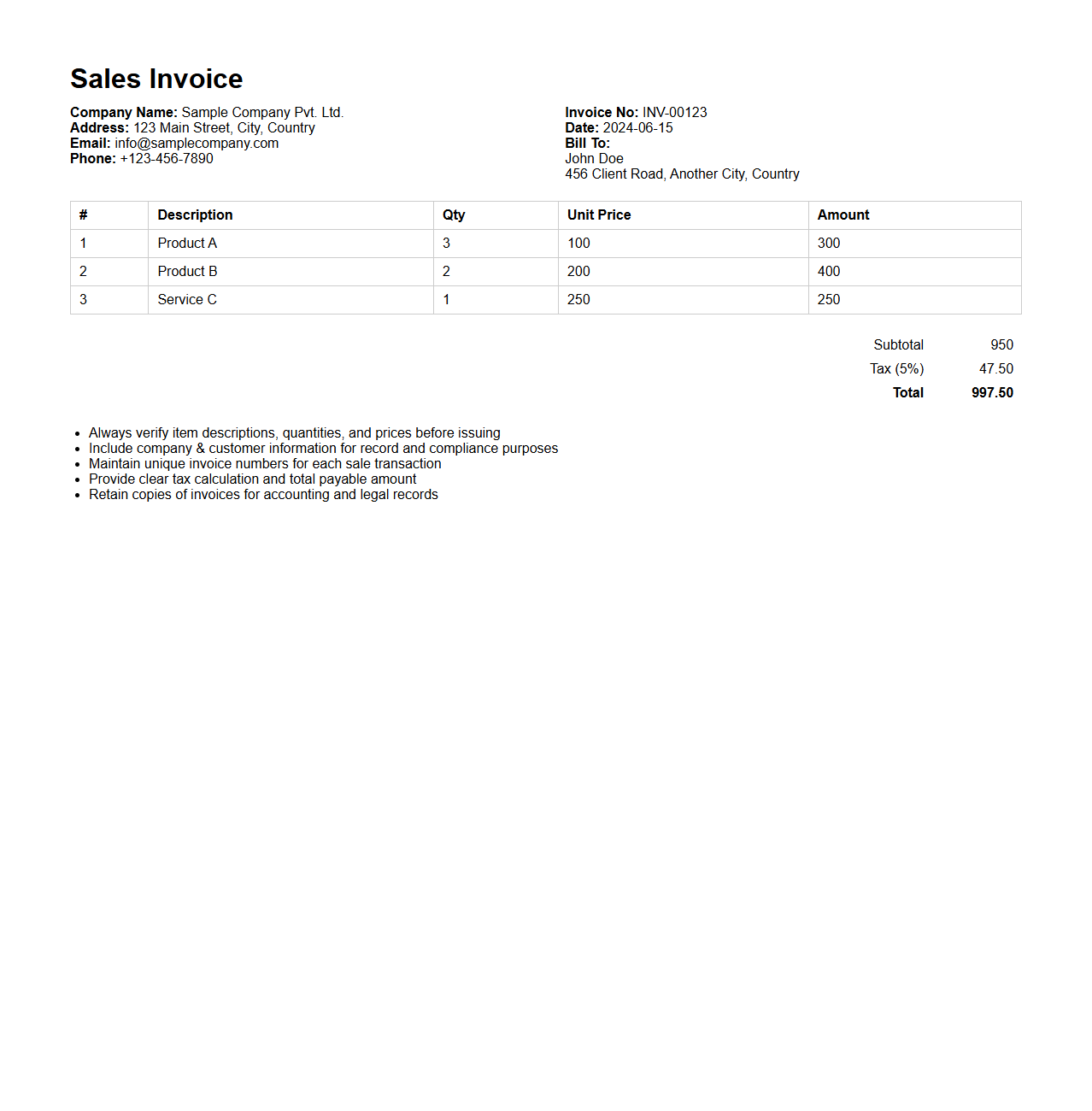
Simple Sales Invoice Excel Format document is a pre-designed spreadsheet template used to record and manage sales transactions efficiently. It typically includes fields for customer details, product descriptions, quantities, unit prices, total amounts, and invoice numbers, streamlining the billing process. This format enhances accuracy and organization, making it easier for businesses to track sales, generate reports, and maintain financial records.
Freelance Invoice Excel Document Format
A
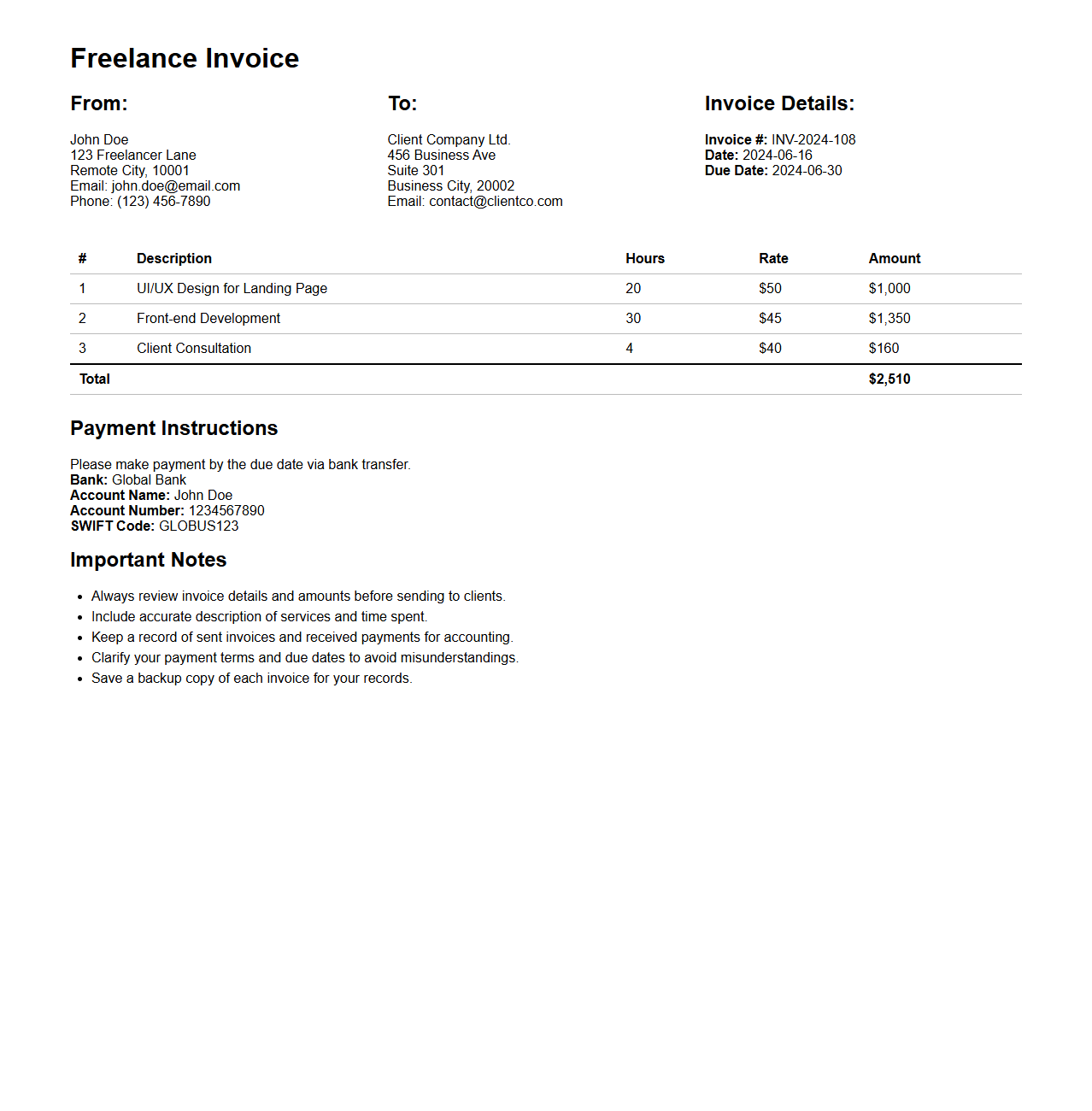
Freelance Invoice Excel Document Format is a structured spreadsheet template designed to help freelancers itemize services rendered, track billable hours, and calculate totals efficiently. It typically includes predefined fields such as client information, project details, payment terms, and tax rates, ensuring accurate and professional record-keeping. This format enhances financial transparency and streamlines the invoicing process for independent contractors and small business owners.
Commercial Invoice Excel Format
A
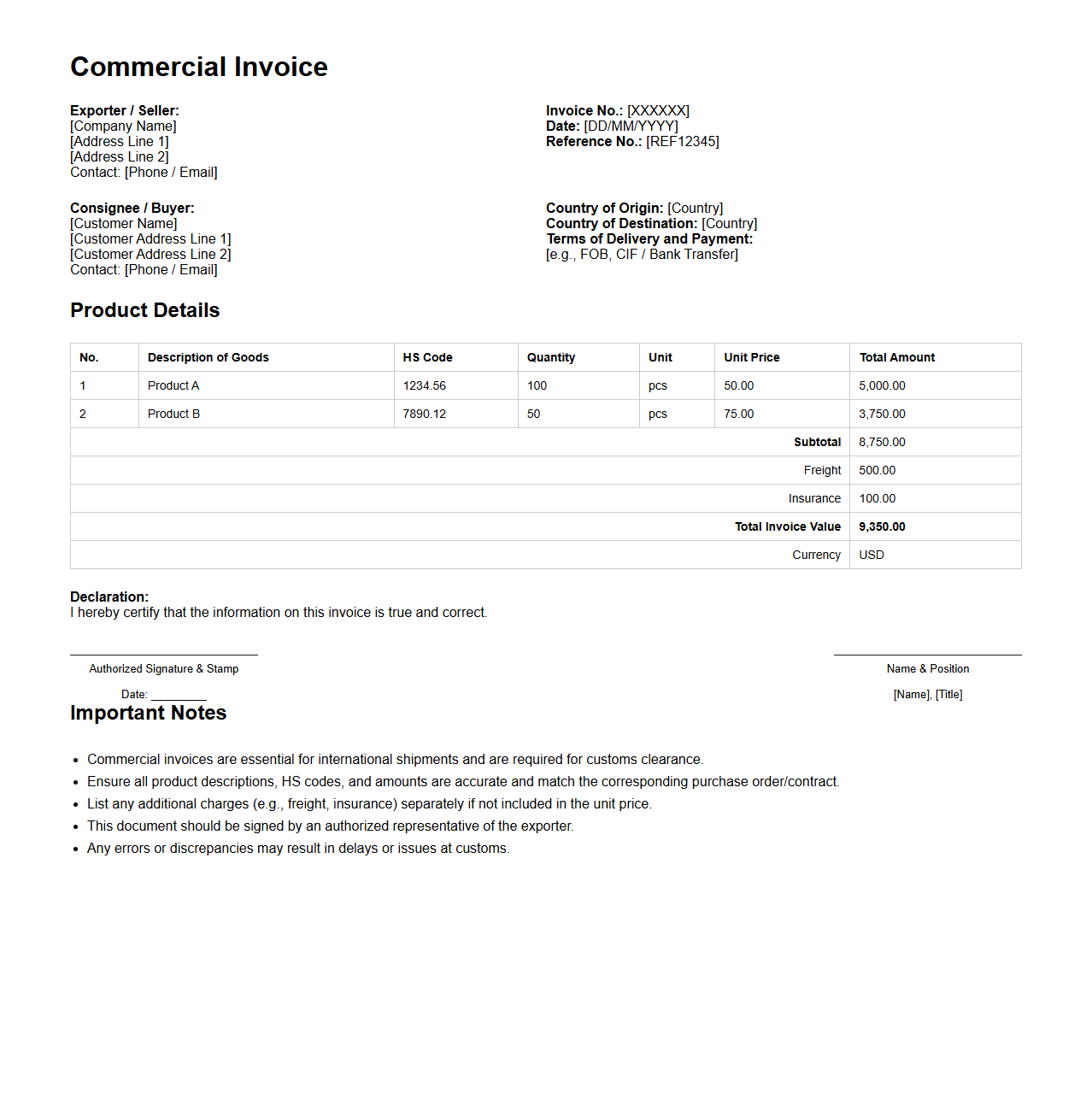
Commercial Invoice Excel Format document is a structured spreadsheet used for detailing the sale transaction between a buyer and seller, primarily in international trade. It includes essential data such as product descriptions, quantities, prices, shipping information, and payment terms, facilitating clear communication and customs clearance. The Excel format allows for easy data entry, customization, and automated calculations, streamlining the invoicing process.
Proforma Invoice Excel Spreadsheet Format
A
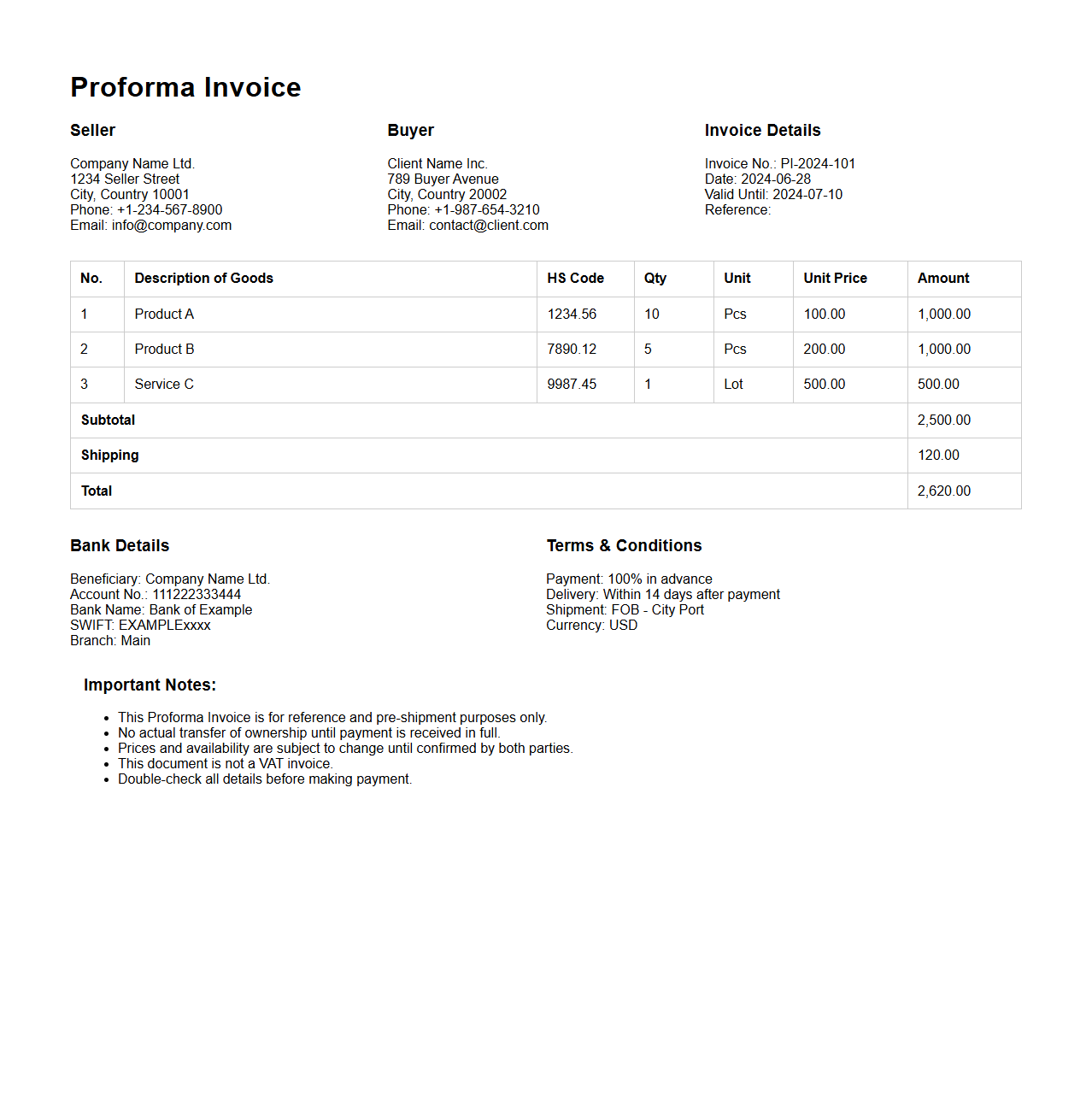
Proforma Invoice Excel Spreadsheet Format document is a pre-formatted template used to create detailed proforma invoices efficiently, ensuring consistency and accuracy in billing information. It typically includes essential fields such as seller and buyer details, item descriptions, quantities, prices, and total amounts, facilitating easy calculations and professional presentation. This format streamlines the invoicing process for businesses by allowing quick customization and export options compatible with accounting and inventory management systems.
Tax Invoice Excel Format
A
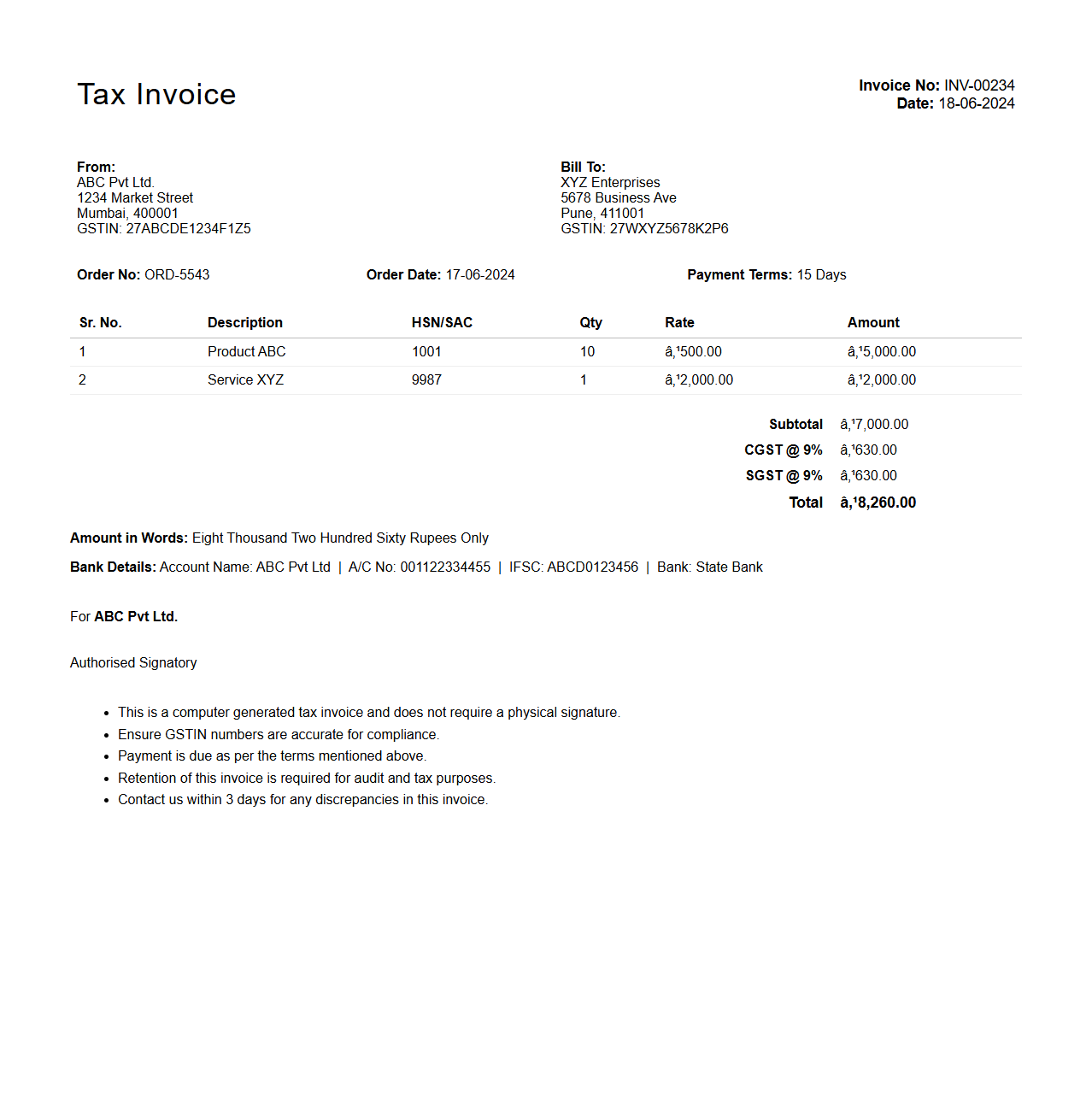
Tax Invoice Excel Format document is a digital template designed to record and present detailed billing information for goods or services, including item descriptions, quantities, prices, taxes, and totals. It facilitates accurate calculation and documentation of Value Added Tax (VAT) or Goods and Services Tax (GST), ensuring compliance with tax regulations. This format enables businesses to efficiently generate, customize, and store tax invoices in an organized spreadsheet layout.
What are the essential columns required in an Excel invoice template?
An Excel invoice template must include crucial columns such as Item Description, Quantity, and Unit Price to effectively capture all transaction details. The subtotal, tax rate, and total amount columns are essential for financial clarity and accuracy. Including a column for product codes or service IDs can streamline inventory and service tracking.
How should payment terms be formatted within an invoice spreadsheet?
Payment terms in an invoice should be prominently displayed with clear and concise language, such as "Net 30" or "Due on Receipt" for immediate clarity. Use bold or highlighted text to draw attention to the payment deadline and any late fees. Structuring payment terms in a dedicated section or column ensures that the recipient understands obligations without confusion.
Which Excel formulas best automate invoice totals and taxes?
Excel functions like SUM() are ideal for calculating the invoice subtotal by adding up line-item totals efficiently. The formula for taxes usually involves multiplying the subtotal by the tax rate, such as =SubtotalCell*TaxRateCell, to dynamically compute exact tax amounts. Using the SUM() formula again to add taxes and subtotals provides an automated, error-free total invoice amount.
How can company branding be integrated into the Excel invoice layout?
Company branding can be integrated into an invoice by adding a custom logo and using brand colors for fonts, borders, and highlights within the Excel layout. Consistent font styles and size aligned with corporate identity enhance professionalism and recognition. Additionally, header and footer sections can include company contact information and slogans to reinforce brand presence.
What date formatting standards ensure international invoice compatibility?
To ensure international compatibility, invoice dates should use the ISO 8601 standard format YYYY-MM-DD, minimizing confusion between day and month. This format is universally recognized and supports seamless processing across different regions and software platforms. Utilizing Excel's custom date formatting feature can easily apply this standard in any invoice template.